Software I use often

Get Firefox

Mozilla Firefox is presently my web browser of choice, though I still use IE for a few Microsofty sites.

There are many add-ons for Firefox. I use Xmarks (was Foxmarks) and the Web Developer extension by Chris Pederick. Also added Firebug to the kit.

Google Chrome works well for most sites and it's fast. In my case Chrome may be faster than Firefox partly because Firefox is my beast of burden browser loaded down with extensions, RSS feeds, and a ton of bookmarks.

I use Mozilla Thunderbird for email at home.

I use Microsoft Outlook for business email and scheduling. Despite the fact that there are a lot of links to free and open source software here, I'm not a Microsoft-hater. I do like some of their products and development tools. Most of the development work I have done has been on Microsoft operating systems, from MS-DOS to Windows 7. Nonetheless, I am glad there are alternatives for situations where the Microsoft solution is too expensive or just plain overkill for the task. I do prefer simple and effective solutions regardless of the tools used.

SlickRun and Launchy are program launchers that I have been using to navigate faster in Windows. I'm still learning to use them but I hope to spend less time reaching for the rodent. Keyboard commands, once you memorize them, are almost always faster than using the mouse. So far I prefer SlickRun.

Notepad++ is a freeware text editor that I use when I'm not working in an IDE but Windows Notepad just won't do (like when I want to select columns of text to copy and paste). It is good for editing source code and XML, and it has a lot of plug-ins available to extend its capabilities. jEdit is a text editor written in Java, and therefore runs on any operating system that has a Java virtual machine installed. It also has a number of plug-ins available. I still use Crimson Editor occasionally. Selecting columns of text seems to work better in Crimson than in Notepad++.

In 2010 I started using the NetBeans IDE for some Python and Ruby projects. It is free and open-source software built on the Java platform and runs on Linux, Windows, and Mac. NetBeans has a plugin system and can be extended to support many programming languages and environments.

Audacity

Audacity is an excellent (and free) audio recording and editing program.

Also related to audio files, Mp3tag by Florian Heidenreich is a very nice tool for editing the ID3 tags in MP3 files. It can also edit metadata for a number of other audio file formats. If you want to split large MP3 files into smaller ones Mp3Splt will do the trick.

Paint.NET

In addition to the GIMP, and an old version of Paint Shop Pro, I have been using Paint.NET for photo and image editing.

WhereIsIt is a program for cataloging media such as CDs, DVDs, or diskettes. I use it to catalog the many data backups and archives I have on CDs. It could take hours of searching through those CDs to find what I am looking for without this program (all the while mumbling "Where is it? Where is it? Where the #@$& is it?").

Real VNC

Real VNC is a remote control program that I use to make my rump bigger. I can operate other computers without having to get up and walk across the office. It's great and it's free (well, there's a free version and paid versions that offer more features). I also use UltraVNC, and if I had a Mac I might use Chicken of the VNC (not recommending it - just dig the goofy name).

Info Select is an information manager that I find very useful for storing diverse and random information about this, that, and the other thing. It really shines when I want to find this (or that, or the other thing) sometime later as it has a very fast search capability. Info Select has a lot of features and the user interface probably takes some getting used to (I've used it for so long now I can't see it from a new user's perspective). If you really like Microsoft Outlook, you might not like Info Select (however, if you think Outlook stinks...). I use both and I think both have their good points (and their stinky bits).

WebTime 2000

WebTime 2000 is a small utility to synchronize your PC's internal clock with a National Institute of Standards atomic clock time server on the internet. It has a picture of a wizard too. I like the wizard. I like that it's a well designed, simple, and easy to use program. I also like that it's free.

TClockEx is another free time-related utility from the Windows 98 era that adds some nice functionality to the Windows clock on the task bar. It's not so pretty on the Windows XP task bar but I still use it on a couple XP boxes. I haven't tried it on Windows Vista and probably won't since Vista pops up a calendar (not just the dialog to set the date and time that happens to include a calendar) when you click the taskbar clock. That is the feature of TClockEx I've used most often.

7-zip

The file compression utility I use most often is 7-Zip. I have used WinZip in the past (and purchased a license several versions ago) but found that the free 7-Zip can handle all my file compression needs. WinZip is still a good choice for non-techie folks based on its ease of use (not that 7-Zip is difficult to use). When I need a free command line compression utility I use Info-ZIP.

For FTP file transfers I use the open source FileZilla. In the past I used WS_FTP Pro which I registered several versions ago after first using their "lite" version. It worked fine but I haven't upgraded since FileZilla has all the features I need.

Beyond Compare 2 logo

My favorite file comparison utility is Beyond Compare 2 by Scooter Software. They have a fully-enabled trial version you can use for 30 days (I like that it counts only the days you actually run the program, not calendar days, when counting down the trial period). For me it was well worth the cost ($30 I think) to register it for my main development PC since I often need to compare files and this program does a slick job of it. I install WinMerge on PCs I use less frequently. It's free and works well. Both of these programs integrate with Windows Explorer and allow you to select files for comparison from the right-click context menu (in WinMerge, I prefer to select Enable advanced menu in Options⇒System⇒Integration).

Programming tools

I have started using Git for version control on recent projects.

For older projects I continue to use Subversion and Trac, running on a Ubuntu server, for version control and issue tracking respectively. On Windows PCs used for development I run TortoiseSVN, a Subversion client that integrates with Windows Explorer as a shell extension.

Since digging into C# and the .NET framework, I mostly use Microsoft Visual Studio 2008 for developing software these days.

I still think Delphi rocks (and paved the way to where Visual Studio is today) and use it for the occasional Win32 app.

Au3 icon

AutoIt is a very nice scripting tool for automating Windows. I discovered AutoIt when I was searching for an alternative to VBScript (and Windows Scripting Host) which was just not working well for a specific automation task. Glad I found it.

My geek nostalgia

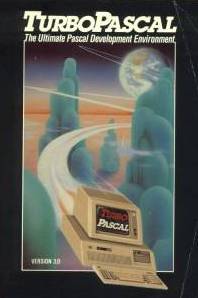
Turbo Pascal 3.0

This is where it all began - my being a programmer, that is. Well actually it was BASIC on the VIC 20 and then the TRS-80 where it began, but Turbo Pascal is where it kicked in. Turbo Pascal became Borland Pascal which eventually became Object Pascal, the language behind Borland Delphi which is now Embarcadero Delphi.

Paradox: For years the DOS version of Paradox was my "Swiss Army Knife" for quick data manipulation. Paradox was easy to program using the Paradox Application Language (PAL). I built a number of applications using it, some of which remain in use as of 2007. As of 2008 I am moving Paradox to the nostalgia section though I'd bet some of those apps are still running.